Tuesday, 16 January 2018
Learn C language Part 37 Arrays of Pointers in C language
#include <stdio.h>
#include <conio.h>
main()
{
int x[3]{100,200,300};
int i=0;
int *ptr[3];
for(i=0;i<3;i++)
{
ptr[i]=&x[i];
}
printf("\nWithout pointers\n...............................\n");
for(i=0;i<3;i++)
{
printf("values at index %d = x[%d] \n",i,x[i]);
}
printf("\nWith pointers\n...............................\n");
for(i=0;i<3;i++)
{
printf("values at index %d = x[%d] is saved at @ %d, address of array is %d \n",i,*ptr[i],&ptr[i],ptr[i]);
}
}

Monday, 15 January 2018
Part-25 (Object Data Source with Gridview binding in asp.net)
Employee Class
public class Employee
{
public int id { get; set; }
public string Name { get; set; }
public string Gender { get; set; }
public string DeptName { get; set; }
}
EmployeeData access layer Class
public class EmployeeDATAACCESSLAYER
{
public static List<Employee> GetAllemployee()
{
List<Employee> employees = new List<Employee>();
string CS = ConfigurationManager.ConnectionStrings["testdb"].ConnectionString;
using (SqlConnection con = new SqlConnection(CS))
{
SqlCommand cmd = new SqlCommand("select id,Name,Gender,DeptName from tblEmployees", con);
con.Open();
SqlDataReader rdr = cmd.ExecuteReader();
while (rdr.Read())
{
Employee emp = new Employee();
emp.id = Convert.ToInt32(rdr["id"]);
emp.Name = rdr["Name"].ToString();
emp.Gender = rdr["Gender"].ToString();
emp.DeptName = rdr["DeptName"].ToString();
employees.Add(emp);
}
}
return employees;
}// method end.......................................
}
Sunday, 14 January 2018
Learn C language Part 36 Arithmetic Operation on Pointers
#include <stdio.h>
#include <conio.h>
main()
{
int a=5,i;
int *ip;
ip=&a;
printf("Address of A : %d",&a);
printf("\nValue in Ip : %d",ip);
for(i=0;i<10;i++)
{
ip++;
printf("\nVarible %d = %d",i,ip);
}
}
Learn C language Part 35 Easy & WorkinG Example of Pointers in C
#include <stdio.h>
#include <conio.h>
main()
{
int a=10;
int *ip;
ip=&a;
printf("Address of A :%d ",&a);
printf("\nValue in Ip : %d",ip);
printf("\nAddres of Ip : %d",&ip);
printf("\nValue of Ip : %d",*ip);
}
Learn C language Part 34 Introduction to Pointers
#include <stdio.h>
#include <conio.h>
main()
{
int a=10,b=0,c;
printf("Address of A: %d",&a);
printf("\nAddress of B: %d",&b);
printf("\nAddress of C: %d",&c);
}
Learn C language Part 34 Introduction to Pointers
#include <stdio.h>
#include <conio.h>
main()
{
int a=10,b=0,c;
printf("Address of A: %d",&a);
printf("\nAddress of B: %d",&b);
printf("\nAddress of C: %d",&c);
}
Friday, 12 January 2018
(Part-22){Client and Server Side Validation,Email Regular Expression Val...
WEBFORM .ASPX CODE
<%@ Page Language="C#" AutoEventWireup="true" CodeBehind="comparefieldvalid.aspx.cs" Inherits="WebApplication13.comparefieldvalid" %>
<!DOCTYPE html>
<html xmlns="http://www.w3.org/1999/xhtml">
<head runat="server">
<title></title>
<style type="text/css">
.auto-style1 {
width: 100%;
}
.auto-style2 {
width: 159px;
}
.auto-style3 {
width: 159px;
height: 31px;
}
.auto-style4 {
height: 31px;
}
</style>
</head>
<body>
<form id="form1" runat="server">
<div>
<table class="auto-style1">
<tr>
<td class="auto-style2">
<asp:Label ID="Label1" runat="server" Text="Email"></asp:Label>
</td>
<td>
<asp:TextBox ID="TextBox1" runat="server" Width="233px"></asp:TextBox>
<asp:RegularExpressionValidator ID="RegularExpressionValidator1" runat="server" ErrorMessage="Invalid Email Format" ControlToValidate="TextBox1" Display="Dynamic" ForeColor="#CC0000" ValidationExpression="^(?("")("".+?""@)|(([0-9a-zA-Z]((\.(?!\.))|[-!#\$%&'\*\+/=\?\^`\{\}\|~\w])*)(?<=[0-9a-zA-Z])@))(?(\[)(\[(\d{1,3}\.){3}\d{1,3}\])|(([0-9a-zA-Z][-\w]*[0-9a-zA-Z]\.)+[a-zA-Z]{2,6}))$"></asp:RegularExpressionValidator>
<asp:RequiredFieldValidator ID="RequiredFieldValidator1" runat="server" ControlToValidate="TextBox1" Display="Dynamic" ErrorMessage="Email is Reuqired" ForeColor="#CC0000"></asp:RequiredFieldValidator>
</td>
<td>
</td>
</tr>
<tr>
<td class="auto-style3">
<asp:Label ID="Label2" runat="server" Text="Re type Email"></asp:Label>
</td>
<td class="auto-style4">
<asp:TextBox ID="TextBox2" runat="server" Width="233px"></asp:TextBox>
<asp:CompareValidator ID="CompareValidator1" runat="server" ControlToCompare="TextBox1" ControlToValidate="TextBox2" ErrorMessage="Email doesnot Match" ForeColor="#CC0000" Display="Dynamic"></asp:CompareValidator>
<asp:RequiredFieldValidator ID="RequiredFieldValidator2" runat="server" ControlToValidate="TextBox2" Display="Dynamic" ErrorMessage="Retype Email is Reuqired" ForeColor="#CC0000"></asp:RequiredFieldValidator>
</td>
<td class="auto-style4"></td>
</tr>
<tr>
<td class="auto-style2">
<asp:Label ID="Label3" runat="server" Text="Password"></asp:Label>
</td>
<td>
<asp:TextBox ID="TextBox3" runat="server" Width="233px" TextMode="Password"></asp:TextBox>
<asp:RequiredFieldValidator ID="RequiredFieldValidator3" runat="server" ControlToValidate="TextBox3" Display="Dynamic" ErrorMessage="Passowrd is Reuqired" ForeColor="#CC0000"></asp:RequiredFieldValidator>
</td>
<td> </td>
</tr>
<tr>
<td class="auto-style2">
<asp:Label ID="Label4" runat="server" Text="Confirm Password"></asp:Label>
</td>
<td>
<asp:TextBox ID="TextBox4" runat="server" Width="233px" TextMode="Password"></asp:TextBox>
<asp:RequiredFieldValidator ID="RequiredFieldValidator4" runat="server" ControlToValidate="TextBox4" Display="Dynamic" ErrorMessage="Retpye Passowrd is Reuqired" ForeColor="#CC0000"></asp:RequiredFieldValidator>
</td>
<td> </td>
</tr>
</table>
</div>
<asp:Button ID="Button1" runat="server" OnClick="Button1_Click" Text="Submit" />
</form>
</body>
</html>
WEBFORM .ASPX.CS CODE
using System;
using System.Collections.Generic;
using System.Linq;
using System.Web;
using System.Web.UI;
using System.Web.UI.WebControls;
namespace WebApplication13
{
public partial class comparefieldvalid : System.Web.UI.Page
{
protected void Page_Load(object sender, EventArgs e)
{
}
protected void Button1_Click(object sender, EventArgs e)
{
if (Page.IsValid)
{
Response.Write("Email approved");
}
}
}
}
WEB.CONFIG CODE
<?xml version="1.0"?>
<!--
For more information on how to configure your ASP.NET application, please visit
http://go.microsoft.com/fwlink/?LinkId=169433
-->
<configuration>
<system.web>
<compilation debug="true" targetFramework="4.5" />
<httpRuntime targetFramework="4.5" />
</system.web>
<appSettings>
<add key="ValidationSettings:UnobtrusiveValidationMode" value="None" />
</appSettings>
</configuration>
Subscribe to:
Posts (Atom)
Pass Dynamically Added Html Table Records List To Controller In Asp.net MVC
Controller Code: using System; using System.Collections.Generic; using System.Linq; using System.Web; using System.Web.Mvc; using ...
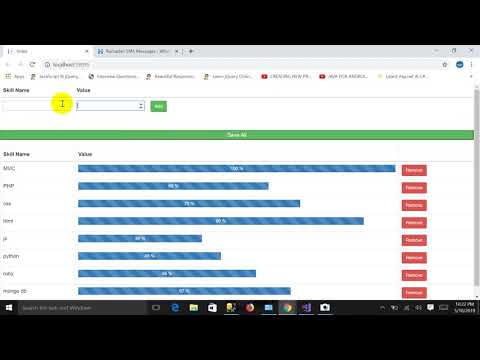
-
Controller Code: using System; using System.Collections.Generic; using System.Linq; using System.Web; using System.Web.Mvc; using ...
-
Load event: pictureBox3.Image = Image .FromFile( @"C:\Users\salman\Documents\Visual Studio 2013\Projects\WindowsFormsApplication3\W...


