Friday, 1 June 2018
2 Print Command in PHP, Difference between print and echo
<!doctype html>
<html>
<head>
<meta charset="utf-8">
<title>lesson 2</title>
</head>
<body>
<?php
echo " this is written through echo .......salman ","ali ", " Ahmed <br/>";
print(" <h1>this is written through print commnad salman ali </h1>");
?>
</body>
</html>

1-introduction to PHP , How to start xampp & echo command in hindi( basi...
<?php
echo" this is echo command and beginning of php";
echo"<h1> this is echo command and beginning of php </h1>";
?>
<!doctype html>
<html>
<head>
<meta charset="utf-8">
<title>Lesson 1</title>
</head>
<body>
<h1> printing escaping characters </h1>
<?php
echo "this is echo command with \" escaping\" characters";
?>
<h1> printing VARIABLE </h1>
<?php
$x="salmanmasood";
echo "hello my name is ".$x;
?>
</body>
</html>
File Handling in C language READ operation
#include <stdio.h>
main()
{
FILE *fp;
char buff[255];//creating char array to store data of file
fp = fopen("C:\\Users\\salman\\Desktop\\c-lang\\lect-14\\files\\salman.txt", "r");
while(fscanf(fp, "%s", buff)!=EOF)
{
printf("%s ", buff );
}
fclose(fp);
}
main()
{
FILE *fp;
char buff[255];//creating char array to store data of file
fp = fopen("C:\\Users\\salman\\Desktop\\c-lang\\lect-14\\files\\salman.txt", "r");
while(fscanf(fp, "%s", buff)!=EOF)
{
printf("%s ", buff );
}
fclose(fp);
}
File Handling in C language Write operation
#include <stdio.h>
#include <string.h>
main()
{
char c[50];
FILE *fp;
fp=fopen("C:\\Users\\salman\\Desktop\\c-lang\\lect-14\\files\\salman.xls","w");
printf("Enter some thing to write in file.......");
gets(c);
//now writing data into file....
fprintf(fp,c);
//now closing file....
fclose(fp);
}
Thursday, 31 May 2018
Exception Handling in C# TRY CATCH STATEMENT
using System;
using System.Collections.Generic;
using System.Linq;
using System.Text;
using System.Threading.Tasks;
namespace ConsoleApplication35
{
class Program
{
static void Main(string[] args)
{
int a;
l1:
Console.Write("Enter an integer number : ");
try
{
a = int.Parse(Console.ReadLine());
Console.WriteLine("value of a =" + a);
}
catch (Exception ex)
{
Console.ForegroundColor = System.ConsoleColor.Red;
Console.WriteLine("------------Error--------\n"+ex);
Console.ForegroundColor = System.ConsoleColor.White;
Console.WriteLine("Press any key to go back.....");
Console.ReadLine();
goto l1;
}
Console.ReadLine();
}
}
}
Link List in C# Generic class collection
using System;
using System.Collections.Generic;
using System.Linq;
using System.Text;
using System.Threading.Tasks;
namespace ConsoleApplication34
{
class Program
{
static void Main(string[] args)
{
var name = new LinkedList<string>();
name.AddLast("Ali");
name.AddLast("Ahmed");
name.AddFirst("zahid");
foreach (var item in name)
{
Console.WriteLine(item);
}
Console.WriteLine("------------------------------------------------");
Console.WriteLine("Enter the name :");
string s = Console.ReadLine();
LinkedListNode<string> node = name.Find(s);
name.AddBefore(node, "sami");
name.AddAfter(node, "basit");
Console.WriteLine("------------------------------------------------");
foreach (var item in name)
{
Console.WriteLine(item);
}
}
}
}
Queue Class in C# Generic Collection class
using System;
using System.Collections.Generic;
using System.Linq;
using System.Text;
using System.Threading.Tasks;
namespace ConsoleApplication33
{
class Program
{
static void Main(string[] args)
{
Queue<string> li = new Queue<string>();
li.Enqueue("ali");
li.Enqueue("ahmed");
li.Enqueue("ahsan");
li.Enqueue("asim");
Console.WriteLine("top element : "+li.Peek());
foreach (var item in li)
{
Console.WriteLine(item);
}
Console.WriteLine("Press any key to dequeue...");
Console.ReadLine();
li.Dequeue();
Console.WriteLine("top element : " + li.Peek());
foreach (var item in li)
{
Console.WriteLine(item);
}
Console.ReadLine();
}
}
}
Subscribe to:
Posts (Atom)
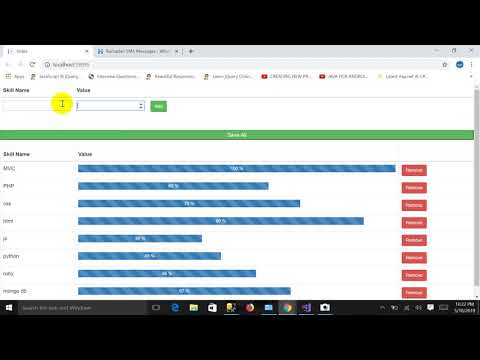
Pass Dynamically Added Html Table Records List To Controller In Asp.net MVC
Controller Code: using System; using System.Collections.Generic; using System.Linq; using System.Web; using System.Web.Mvc; using ...
-
Controller Code: using System; using System.Collections.Generic; using System.Linq; using System.Web; using System.Web.Mvc; using ...
-
Load event: pictureBox3.Image = Image .FromFile( @"C:\Users\salman\Documents\Visual Studio 2013\Projects\WindowsFormsApplication3\W...


